Parivahan Sewa - Services, Benefits, Fees, Process and More
What is Parivahan Sewa and what does it do? If you’re looking for the answer to this question or are looking for the services it offers, you are in the right place. Check the complete details - roles, responsibilities, fees, charges and more.


Explore Everything About Your Vehicle





Whats is Parivahan Sewa?
Parivahan Sewa is the Government of India's unified digital platform for accessing transport and vehicle-related services online. It brings together services related to vehicle registration, driving licences, permits, challans, PUC and more.
Since there are over 1300 RTOs across the country and several states, each with its own rules and regulations, ensuring a standard implementation of vehicle-related documents and services becomes important. This is when the Parivahan Sewa portal was launched.
What is the Parivahan Sewa portal?
Parivahan Sewa portal is a digital platform of Ministry of Road Transport and Highways (MoRTH), ensuring proper and timely availability of transport and vehicle-related services, accuracy and interoperability across the nation.
For this, the Ministry entrusted N.I.C (National Informatics Centre), which deployed two software applications to record and manage the nationwide data of vehicles, which are:
VAHAN - Vehicle Registration
SARATHI - Driving Licences
Note: Currently it uses VAHAN 4.0 framework for vehicle registration.
Key services offered by Parivahan Sewa
By navigating to parivahan sewa gov in, you get easy access to Parivahan Sewa online services.
A few of the Parivahan online services available for vehicle owners are:
- Vehicle registration: One of the most important online Parivahan vehicle services is registration. As per the Motor Vehicles Act, 1988, every vehicle should be legally registered. The Parivahan Sewa registration services also include RC services, ownership transfer, vehicle tax, hypothecation, applying for a fancy number, etc.
- Driving Licence: Driving Licence is an important document to legally drive a vehicle across the nation. Vehicle owners can now easily apply for licence related services by visiting Sarthi followed by selecting their state.
- Permit-related services: The portal also offers permit-related services, allowing motorists to easily access the related services.
- Traffic challan management: Vehicle owners can quickly check and settle their e-challans in some simple clicks. For easy access to challan-related services, one can navigate to the next gen e challan portal.
- PUC check and other services: www Parivahan gov in online services also allows vehicle owners to easily access the pollution control certificate, check the application status and avail other related services.
- Manufacturer-related services: It also offers services like homologation, VLTD, CNG and SLD maker.
- Other services: It also offers several other services including Vahan Green Sewa, issuing Parivahan Sewa NOC, vehicle scrapping, vehicle recall, NR services, paid NR services, and more.
- For quick access to vehicle details, licence services and challan updates, you can also use the mParivahan mobile application.
Quick Links of key services

Popular Parivahan Services
Vehicle Owner Details
Check vehicle details using the vehicle number.
Driver License
Apply, book a slot, & access other services online.
E-Challan
Check and manage your traffic challans online.
PUC Check
Check your vehicle’s PUC status and stay compliant.
How to Use Parivahan Sewa?
In a fast-paced world, where time is of the essence, the convenience of managing essential tasks online has become paramount. Parivahan Sewa emerges as a game-changer, offering a comprehensive platform that simplifies and streamlines various

- 1
Provide the ‘Car Number’
In the box provided above, enter the car number to check the insurance status.
- 2
Click on ‘Check Now’
Allow Park+ to fetch the details about the car insurance policy status by clicking on the ‘Check Now’ button.
- 3
Know the car policy status
The status of your car insurance policy will then be reflected on the page as ‘Active’ or ‘Expired’.
- 4
Provide the ‘Car Number’
In the box provided above, enter the car number to check the insurance status.
- 5
Click on ‘Check Now’
Allow Park+ to fetch the details about the car insurance policy status by clicking on the ‘Check Now’ button.
- 6
Know the car policy status
The status of your car insurance policy will then be reflected on the page as ‘Active’ or ‘Expired’.
How to use online services on Parivahan Sewa?
To avail Parivahan vehicle services online, the steps below should be followed:
- Go to the Parivahan Sewa portal.
- Select the service you are looking for - Parivahan RC services, Parivahan vehicle registration, etc.
- Select your state from the dropdown menu.
- Complete parivahan sewa login using your credentials or register (if asked).
- Provide the required details and re-check before submission.
- Upload the needed documents and pay the applicable fees/charges.
- Book the appointment at the nearest RTO (if required in some services, like a driving test).
- Save the application number for further tracking of the services you have applied for. Note: This is the standard process and may vary depending on the service you opt for. Keep the credentials somewhere safe for easy Vahan Parivahan gov in Login.
Simple tips to follow
Some of the simple tips for using the portal are:
- Ensure you are in an area with a good internet connection and have strong connectivity.
- Keep the basic documents handy - identity proof, address proof, vehicle R.C. and other documents (depending on the service you are looking for).
- Make sure all the details are up-to-date, i.e., address, mobile number, etc. If not, choose a change of address or update mobile number (if required).
- Always re-check the details provided by you.
- Upload clear files/documents.
- Jot down the application or ticket number for easy tracking.
Why choose Parivahan Sewa portal?
Parivahan Sewa portal or M Parivahan Sewa, is managed by MoRTH - a government body to ensure easy access to all vehicle-related services across several states and connects transport-related services across RTOs and states.
Some of the benefits of choosing the Parivahan portal are:
- Authorised portal: Parivahana Sewa portal is launched and managed by MoRTH, ensuring trusted services and avoiding scams.
- Unified platform: It is a unified platform, helping vehicle owners to perform several RTO services easily and quickly.
- Convenient online access: The digital services can be availed conveniently round the clock from anywhere.
- Online access: The services can be accessed digitally in some clicks, avoiding the necessity to physically visit an RTO.
- Transparency: Parivahan Sewa online services add to transparency, avoiding the role of middlemen, bribery or corruption.
- Time and cost efficient: Vehicle related services can easily be availed in no time and cost. It has removed the necessity of visiting any office, spending unnecessary time and cost.
NextGen mParivahan
NextGen mParivahan is an e-Gov mobile app by the NIC and Ministry of Electronics & Information Technology (MeitY), Government of India. It provides digital access to all vehicle-related services and information across the nation.
To date, there are 129345105 app downloads and 95342311 registered users. In some simple clicks, you can check the vehicle owner details, R.C. and other details. Alternatively, you can access state-wise services by visiting the mParivahan website.
Need help? Here’s the support
Digital platforms may slow down at times or frustrate you. If, while accessing services on the Parivahan portal, you face any such issues, reach out to the support team.
Here are the important email addresses:
- VAHAN services: helpdesk-vahan@gov.in
- DL related queries: helpdesk-sarathi@gov.in
- mParivahan related queries: helpdesk-mparivahan@gov.in
- Contact number: +91 1204925505
Parivahan Sewa portal is an online platform offering digital access to the transport and vehicle-related services - vehicle registration, issuing RC, DL, duplicate licence, allotting fancy vehicle number plate, updating key details like mobile number or address and more. If you are a vehicle owner, either visit its website or download its app to enjoy smooth services.
Check Vehicle Owner Details by State
Andaman and Nicobar Islands Vehicle Owner Details
Andhra Pradesh Vehicle Owner Details
Arunachal Pradesh Vehicle Owner Details
Assam Vehicle Owner Details
Bihar Vehicle Owner Details
Chandigarh Vehicle Owner Details
Chhattisgarh Vehicle Owner Details
Dadra and Nagar Haveli Vehicle Owner Details
Delhi Vehicle Owner Details
Goa Vehicle Owner Details
Gujarat Vehicle Owner Details
Haryana Vehicle Owner Details
Himachal Pradesh Vehicle Owner Details
Jammu and Kashmir Vehicle Owner Details
Jharkhand Vehicle Owner Details
Karnataka Vehicle Owner Details
Kerala Vehicle Owner Details
Lakshadweep Vehicle Owner Details
Madhya Pradesh Vehicle Owner Details
Maharashtra Vehicle Owner Details
Manipur Vehicle Owner Details
Meghalaya Vehicle Owner Details
Mizoram Vehicle Owner Details
Nagaland Vehicle Owner Details
Odisha Vehicle Owner Details
Puducherry Vehicle Owner Details
Punjab Vehicle Owner Details
Rajasthan Vehicle Owner Details
Sikkim Vehicle Owner Details
Tamil Nadu Vehicle Owner Details
Telangana Vehicle Owner Details
Tripura Vehicle Owner Details
Uttar Pradesh Vehicle Owner Details
Uttarakhand Vehicle Owner Details
West Bengal Vehicle Owner Details
Check Drivers License Details by State
DL Andaman and Nicobar Islands
DL Andhra Pradesh
DL Arunachal Pradesh
DL Assam
DL Bihar
DL Chandigarh
DL Chhattisgarh
DL Dadra and Nagar Haveli
DL Delhi
DL Goa
DL Gujarat
DL Haryana
DL Himachal Pradesh
DL Jammu and Kashmir
DL Jharkhand
DL Karnataka
DL Kerala
DL Lakshadweep
DL Madhya Pradesh
DL Maharashtra
DL Manipur
DL Meghalaya
DL Mizoram
DL Nagaland
DL Odisha
DL Puducherry
DL Punjab
DL Rajasthan
DL Sikkim
DL Tamil Nadu
DL Telangana
DL Tripura
DL Uttar Pradesh
DL Uttarakhand
DL West Bengal
Check PUC Certificate by State
PUC Certificate Andaman and Nicobar Islands
PUC Certificate Andhra Pradesh
PUC Certificate Arunachal Pradesh
PUC Certificate Assam
PUC Certificate Bihar
PUC Certificate Chhattisgarh
PUC Certificate Dadra and Nagar Haveli
PUC Certificate Delhi
PUC Certificate Goa
PUC Certificate Gujarat
PUC Certificate Haryana
PUC Certificate Himachal Pradesh
PUC Certificate Jammu and Kashmir
PUC Certificate Jharkhand
PUC Certificate Karnataka
PUC Certificate Kerala
PUC Certificate Ladakh
PUC Certificate Lakshadweep
PUC Certificate Madhya Pradesh
PUC Certificate Maharashtra
PUC Certificate Manipur
PUC Certificate Meghalaya
PUC Certificate Mizoram
PUC Certificate Nagaland
PUC Certificate Odisha
PUC Certificate Puducherry
PUC Certificate Punjab
PUC Certificate Rajasthan
PUC Certificate Sikkim
PUC Certificate Tamil Nadu
PUC Certificate Telangana
PUC Certificate Tripura
PUC Certificate Uttar Pradesh
PUC Certificate Uttarakhand
PUC Certificate West Bengal
Check E-Challan by State
E Challan Telangana
E Challan Bihar
E Challan Delhi
E Challan Odisha
E Challan Haryana
E Challan Maharashtra
E Challan Punjab
E Challan Rajasthan
E Challan Karnataka
E Challan Jharkhand
E Challan Kerala
E Challan Goa
E Challan Uttarakhand
E Challan Uttar Pradesh
E Challan Andhra Pradesh
E Challan West Bengal
E Challan Tamil Nadu
E Challan Tripura
E Challan Himachal Pradesh
E Challan Chhattisgarh
E Challan Manipur
E Challan Assam
E Challan Arunachal Pradesh
E Challan Madhya Pradesh
E Challan Sikkim
E Challan Meghalaya
E Challan Nagaland
E Challan Gujarat
E Challan Dadra Nagar Haveli
E Challan Mizoram
E Challan Jammu & Kashmir
E Challan Lakshadweep
E Challan Ladakh
E Challan Andaman and Nicobar
E Challan Daman and Diu
Parivahan Sewa - Fees and user charges
Parivahan Sewa online portal clearly lists the fees and charges for different types of vehicle related services applicable across the nation.
| S.No. | Purpose | Amount | Rule and sections |
|---|---|---|---|
| 1. | Grant or renewal of trade certificate in respect of each class of vehicle: | ||
| (a) Motorcycle | 500 | 34(1) | |
| (b) Invalid Carriage | 500 | 34(1) | |
| (c) Others | 1,000 | 34(1) | |
| 2. | Duplicate trade certificate: | ||
| (a) Motorcycle | 300 | 38(1) | |
| (b) Invalid Carriage | 300 | 38(1) | |
| (c) Others | 500 | 38(1) | |
| 3. | Appeal under rule 46 | 1,000 | 46(1) |
| 4. | Issue or renewal of certificate of registration and assignment of new registration mark: | ||
| (a) Invalid Carriage | 50 | 47(1) 52(1) 54(1) 76(1) and 78(1) | |
| (b) Motor cycle | 300 | 47(1) 52(1) 54(1) 76(1) and 78(1) | |
| (c) Three wheeler/Quadricycle/Light Motor Vehicles: | (c) Three wheeler/Quadricycle/Light Motor Vehicles: | (c) Three wheeler/Quadricycle/Light Motor Vehicles: | |
| i) Non transport; | 600 | 47(1) 52(1) 54(1) 76(1) and 78(1) | |
| ii) Transport | 1,000 | 47(1) 52(1) 54(1) 76(1) and 78(1) | |
| (d) Medium goods vehicle | 1,000 | 47(1) 52(1) 54(1) 76(1) and 78(1) | |
| (e) Medium passenger motor vehicle | 1,000 | 47(1) 52(1) 54(1) 76(1) and 78(1) | |
| (f) Heavy goods vehicle | 1,500 | 47(1) 52(1) 54(1) 76(1) and 78(1) | |
| (g) Heavy passenger motor vehicle | 1,500 | 47(1) 52(1) 54(1) 76(1) and 78(1) | |
| (h) Imported motor vehicle | 5,000 | 47(1) 52(1) 54(1) 76(1) and 78(1) | |
| (i) Imported motor cycle | 2,500 | 47(1) 52(1) 54(1) 76(1) and 78(1) | |
| (j) Any other vehicle not mentioned above | 3,000 | 47(1) 52(1) 54(1) 76(1) and 78(1) | |
| Notes: Additional fee of Two Hundred Rupees shall be levied if the certificate of registration is a smart card type issued or renewed in Form 23A. Notes: Additional fee of Two Hundred Rupees shall be levied if the certificate of registration is a smart card type issued or renewed in Form 23A. | |||
| In case of delay in applying for renewal of certificate of registration, an additional fee of Rupees Three Hundred Only for delay of every month or part thereof in respect of motor cycles and Rupees Five Hundred Only for delay of every month or part thereof in respect of other classes of nontransport vehicles shall be levied. | |||
| 5. | Issue of duplicate certificate of registration | Half of the fee mentioned against Serial No.4 | 53(2) |
| 6. | Transfer of ownership | Half of the fee mentioned against Serial No.4. | 55(2)(iii), 55(3), 56(2)(a) and 57(1)(a) |
| Note: In case of delay in submission of ‘No Objection Certificate’, an additional fee of Rupees Three Hundred Only for delay of each month or part thereof in case of motor cycles and Rupees Five Hundred Only for each month of delay or part thereof for other vehicles shall be levied. | |||
| 7. | Change of residence | Half of the fee mentioned against Serial No.4. | 59 |
| Note: In case of delay in submitting ‘No Objection Certificate’ for change of residence, an additional fee of Rupees Three Hundred Only for delay of each month or part thereof in case of motor cycles and Rupee Five Hundred Only for each month of delay or part thereof for other vehicles shall be levied. | |||
| 8. | Recording alteration in the certificate of registration | Half of the fee mentioned against Serial No.4 | --- |
| 9. | Endorsing hire purchase/lease/hypothecation agreement: | Endorsing hire purchase/lease/hypothecation agreement: | Endorsing hire purchase/lease/hypothecation agreement: |
| (a) Motorcycle | 500 | 60 | |
| (b) Three wheeler/quadricycle/light motor vehicle | 1,500 | 60 | |
| (c) Medium or heavy vehicle | 3,000 | 60 | |
| Note: No separate fee will be levied for cancellation of lease, etc, or for issue of fresh Certificate of Registration thereafter. | |||
| 10. | Conducting test of a vehicle for grant or renewal of certificate of fitness: | ||
| (a) Motorcycle | (i) Manual: 200 (ii) Automated: 400 | 62(2) | |
| (b) Three wheeled or light motor vehicle or quadricycle | (i) Manual : 400 (ii) Automated: 600 | 62(2) | |
| (c) Medium or heavy motor vehicle | (i) Manual: 600 (ii) Automated: 1,000 | 62(2) | |
| 11. | Grant or renewal of certificate of fitness for motor vehicle | 200 | 62(2) |
| Note: Additional fee of Rupees Fifty Only for each day of delay after expiry of certificate of fitness shall be levied. | |||
| 12. | Grant or renewal of letter of authority | 15,000 | 63(2)(a) |
| 13. | Issue of duplicate letter of authority | 7,500 | 66(2) |
| 14. | Appeal under rule 70 | 300 | 71(1) |
| 15. | Any application not covered under entries at Serial Nos. 1 to 14 above | 200 | 64(p) |
| 16. | Renewal of certificate of registration for motor vehicle older than 20 years from date of first registration | ||
| (a) Invalid carriage | 100 | 52(1) | |
| (b) Motor Cycle | 2,000 | 52(1) | |
| (c) Three Wheeler / Quadricycle | 5,000 | 52(1) | |
| (d) Light motor vehicle | 10,000 | 52(1) | |
| (e) Imported motor vehicle (Two or Three wheeled ) | 20,000 | 52(1) | |
| (f) Imported motor vehicle (Four or more wheeled ) | 8,000 | 52(1) | |
| (g) Any other vehicle not mentioned above | 12,000 | 52(1) |
Notes:For the removal of doubts, it is hereby clarified that medium passenger motor vehicles, heavy goods vehicles, imported motor vehicles or any other vehicles not mentioned against Serial No.4 of the above Table include both transport and non-transport vehicles. Where the certificate of registration issued is in the form of any Smart Card Type, an additional fee of Rupees Two Hundred Only shall be charged except in the case of issue of fresh certificate of registration after cancellation of hire purchase or lease or hypothecation agreement. All fees specified in the Table above are exclusive of GST. Source: Parivahansewa: Fees & User Charges
FAQs- Parivahan Sewa
How to log in to VAHAN Sewa?
Go to the Parivahan Sewa login page, provide the registered mobile number and enter the displayed captcha. Click on ‘Next’ to access services digitally.
How to register for VAHAN services on Parivahan Sewa?
Go to the ‘New User Registration’ page, provide an active mobile number and e-mail address. Fill in the displayed verification code and the OTP received to register yourself.
How to change a mobile number in Parivahan?
Visit Parivahan Sarathi and select your state. Choose the ‘Mobile Number Update’ option and perform the further actions to update your mobile number.
Is it free to access the Parivahan Sewa portal?
Yes, it is free of cost, but for availing a service, applicable fees apply.
Can I change my address on Parivahan Sewa?
Yes, you can easily update your address on Sarathi Parivahan by navigating to the ‘Change of Address’ option.
Latest RTO news, blogs & updates
How To Apply for HSRP Number Plate In Madhya Pradesh
How to Transfer Vehicle Ownership in Rajasthan?
How to Apply HSRP through FTA – Simple Steps for Online HSRP Application
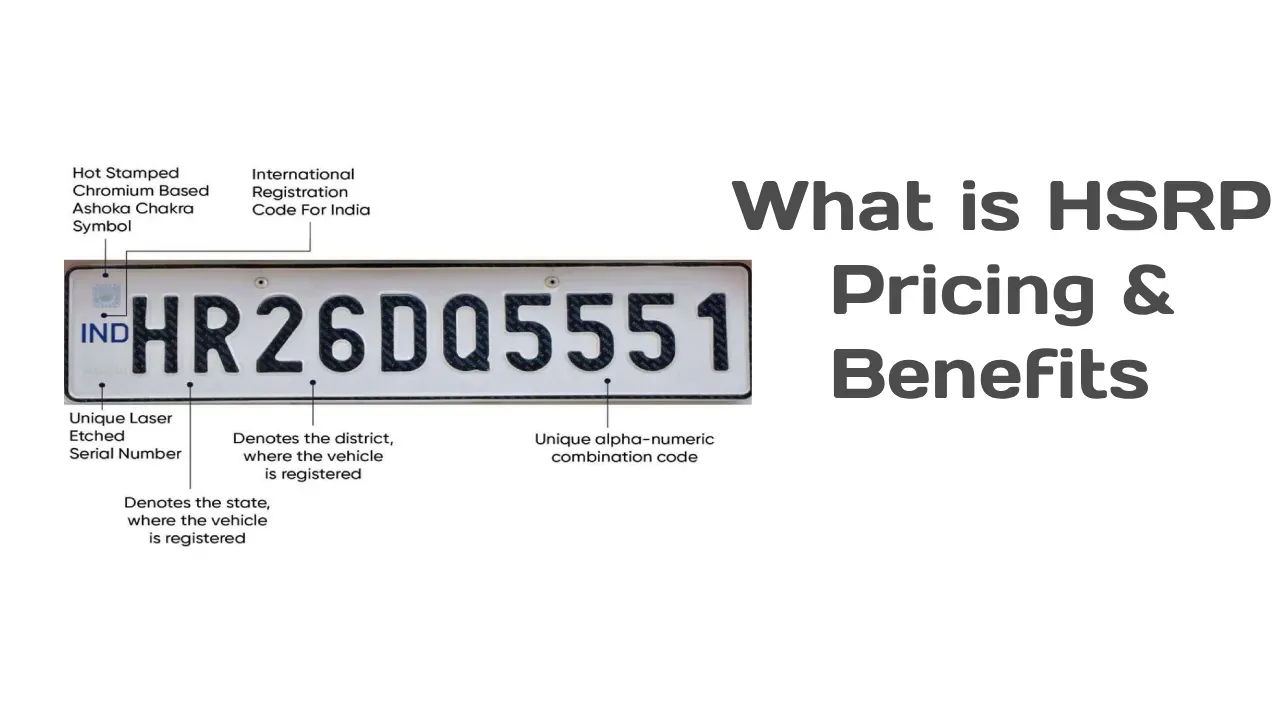
HSRP Number Plate: What is a High Security Registration Plate & How to Apply Online

How to Transfer Vehicle Ownership After Death: Process, Documents & Fees
RTO hypothecation removal process online
All you need to know about getting your vehicle registered in Kerala
Steps to follow to register your vehicle with the Gujarat RTO