mParivahan App: Features, Services, Download, Registration, Login and More
NextGen mParivahan app or mParivahan is a mobile application launched by MoRTH to facilitate users with quick, smooth and easy online access to transport-related services and digital vehicle documents. From mParivahan RC to mParivahan challan check, users can access all the important details in some simple taps.


Explore Everything About Your Vehicle





What is mParivahan?
mParivahan also known as NextGen mParivahan is a government app, launched and managed by the Ministry of Road Transport and Highways (MoRTH). The app was developed by National Informatics Center (NIC) to provide users with digital, secure and instant access to transport-related services.
The app is free of cost and can be downloaded easily from the play store or app store and is connected with the VAHAN and SARATHI to pull data, helping users with the authentic information.
Key features of mParivahan app
The key features or benefits of Parivahan Sewa app are as follows:
- Zero cost: The app is free to use and download.
- Digital access: Users get digital access to transport and vehicle-related services which removes the necessity of visiting concerned offices or RTOs.
- Real-time information: The app fetches real-time data, providing accurate results/information to the users.
- Simple interface: NextGen mParivahan app has a user-friendly interface, offering users a seamless experience.
- One-stop solution: The app acts as a one-stop destination for all vehicle related services across the nation.
NextGen mParivahan app - downloads, users and more
The NextGen mParivahan dashboard gives a real-time overview of all the app registrations, downloads and more.
App downloads: 129345105 are the total number of app downloads.
Registered users: The app has 95556939 registered users.
Virtual DL: The total number of virtual DLs issued through this app is 22887337.
Virtual RC: The total number of mParivahan RC issued through the app are 53972320.
Note : Data as of October 05, 2026.
In addition to this, you can also look for other data like - total number of beneficiaries using Sarathi services, eChallan beneficiaries, Vahan beneficiaries and more.
Popular mParivahan Services
Vehicle Owner Details
Check vehicle details using the vehicle number.
Driver License
Apply, book a slot, & access other services online.
E-Challan
Check and manage your traffic challans online.
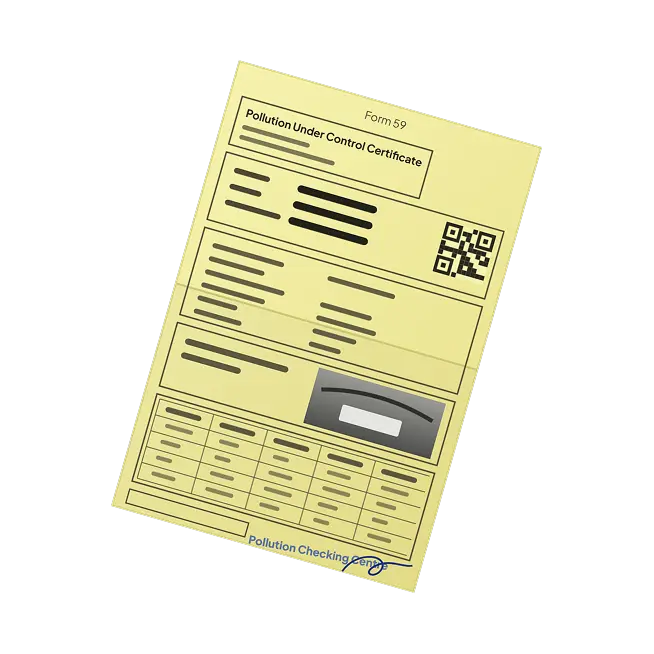
PUC Check
Check your vehicle’s PUC status and stay compliant.

How to Use mParivahan
Get verified vehicle details digitally in 3 simple steps. No paperwork required - simply enter your vehicle registration number to access available vehicle information in seconds.
Open the app and sign in/register
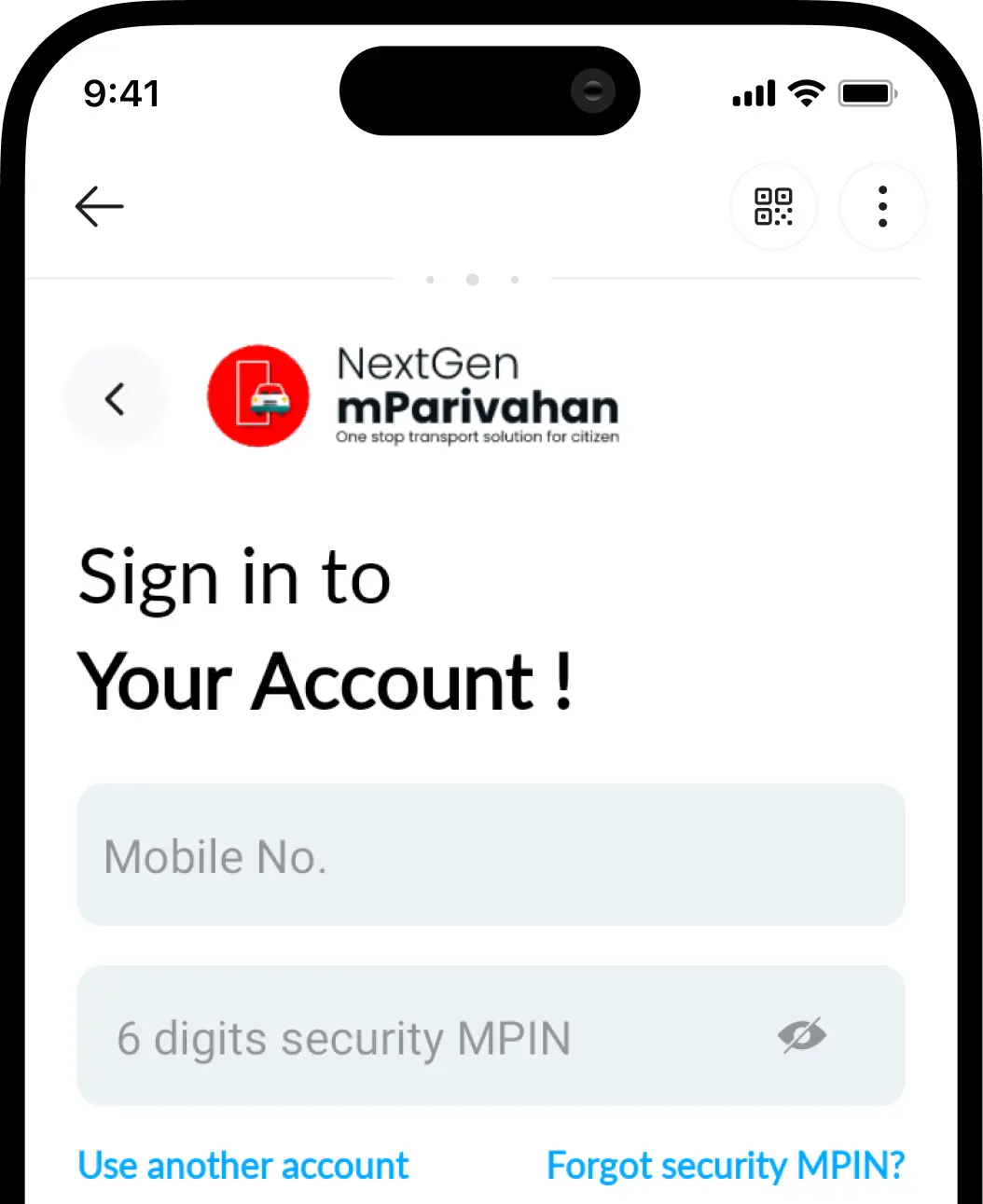
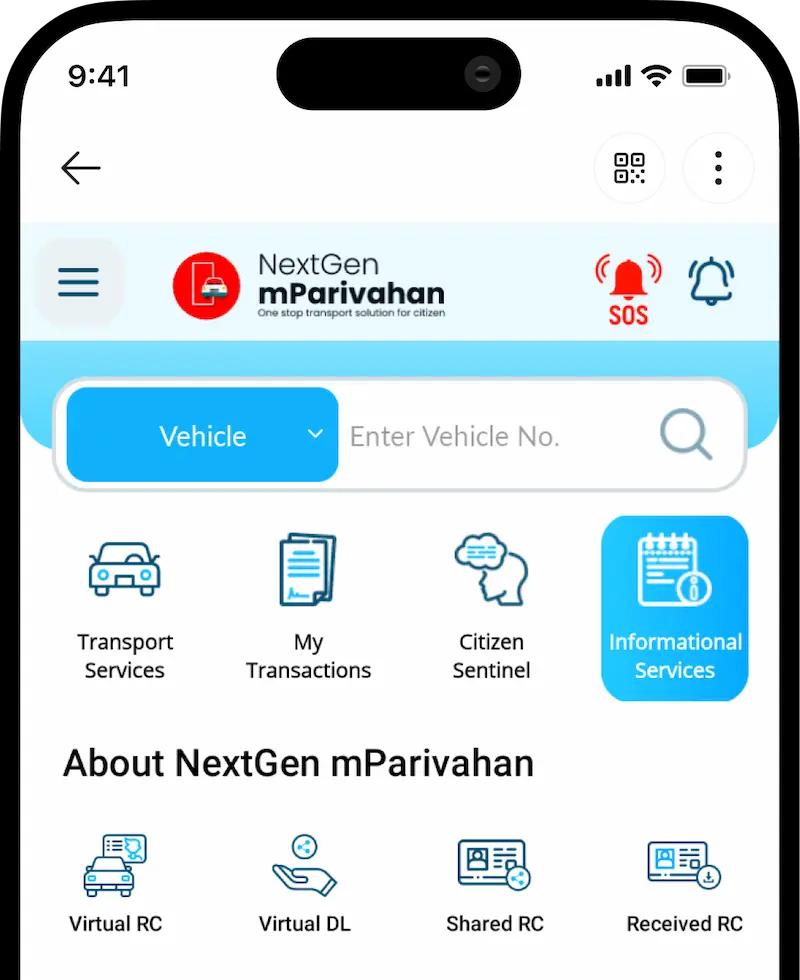
Select ‘Informational Services’ for RC/DL services.
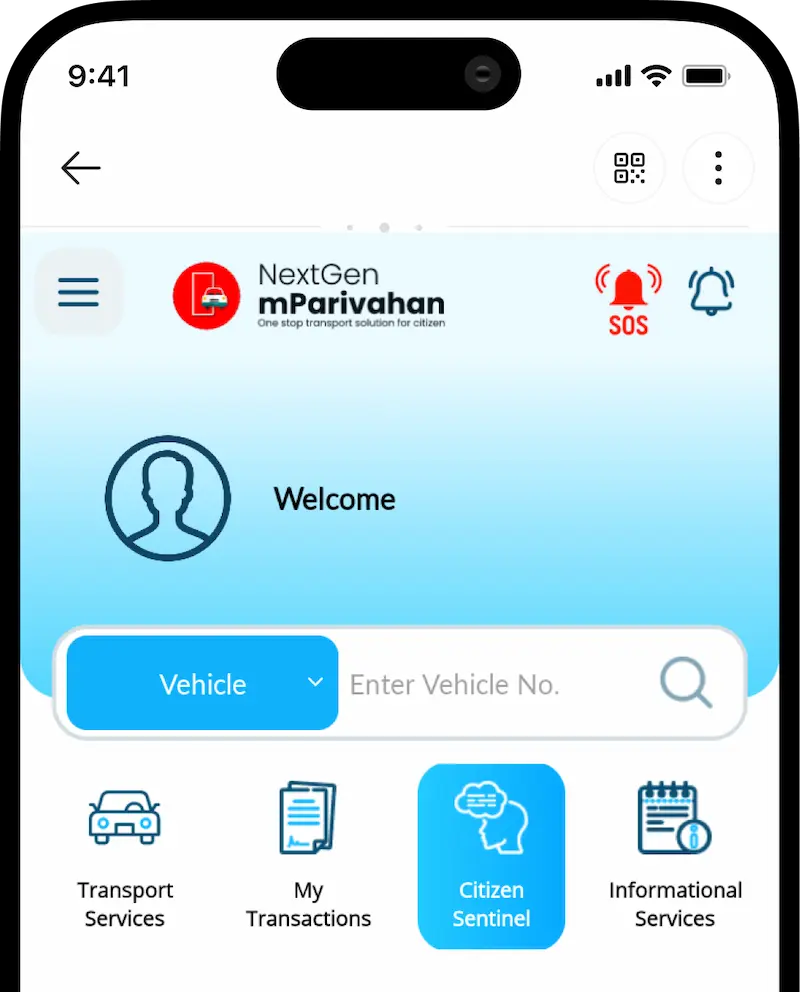
Choose ‘Citizen Sentinel’ to report accidents/traffic violations.
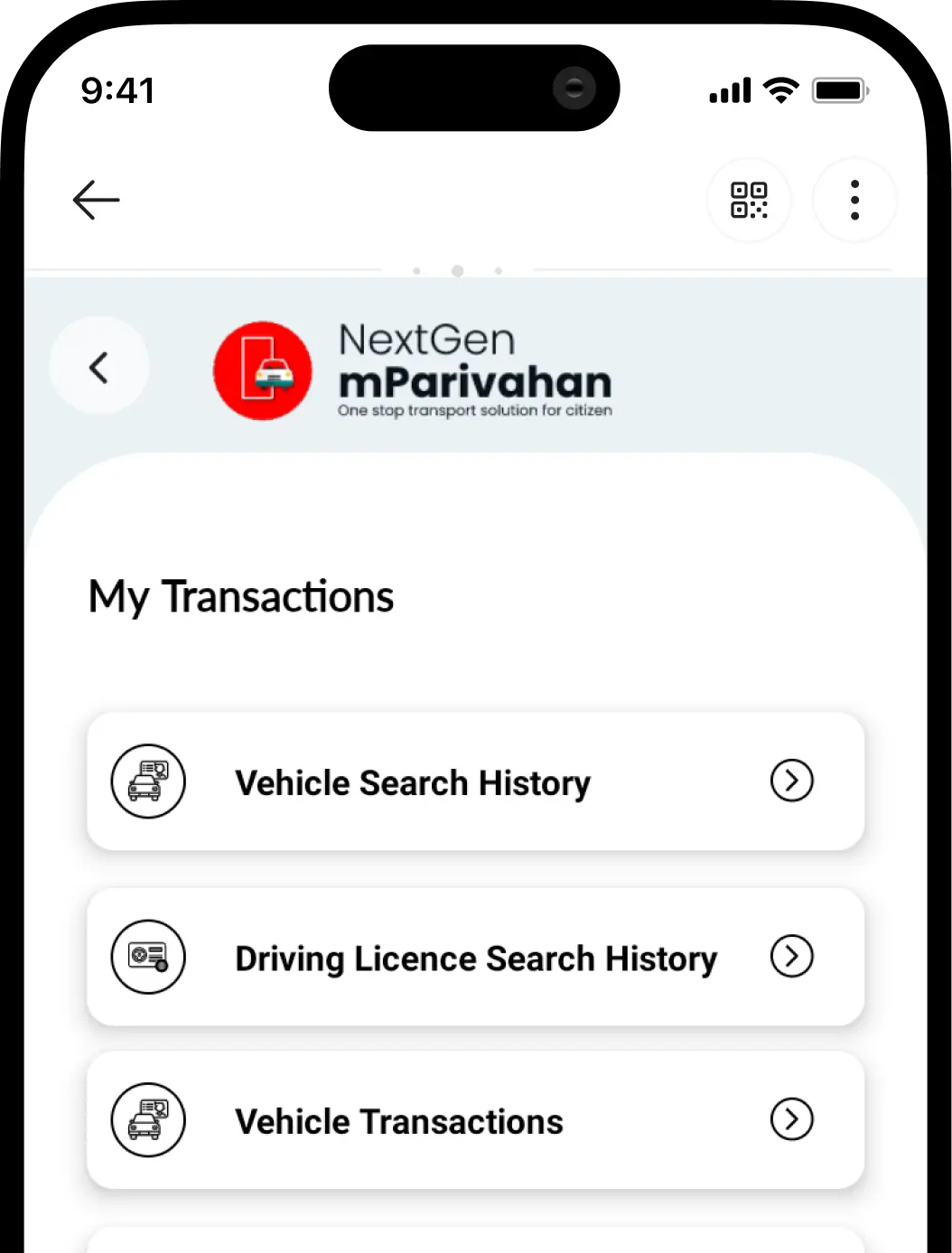
Select ‘My Transactions’ to check your history
Why Use mParivahan
Digital Document Storage
24x7 Online Access
Verified Vehicle Information
Easy Traffic Challan Checks
Popular mParivahan vehicle related services
The most popular or widely availed services on the Parivahan app includes:
- Digital Locker: The app has a digital locker that allows users to securely store all important vehicle documents like vehicle RC, driving licence, etc. eliminating the need to carry a physical copy.
- Vehicle details: mParivahan lets users quickly check Vehicle owner details, vehicle type, registration, and other key details about the vehicle.
- Traffic challan management: mParivahan challan feature helps users quickly check challan status.
- Virtual licence services: As an alternative to sarathi parivahan gov in, users can also apply for virtual DL through this app.
- Check pollution certificate: Vehicle owners can check the status of the PUC certificate (PUCC) online.
- National register e services: The app has the facility of National Register which offers a range of services digitally including - hypothecation details, fitness certificates, and more to ensure transparency.
How to download mParivahan app on mobile?
The app is available for download on Google Play Store (for Android users) and Apple App Store (for iOS users).
The steps to get the app are:
- Open the Google Play Store or Apple App Store.
- Search for ‘NextGen mParivahan’ app.
- Check if the app is provided by ‘National Informatics Centre’.
- If yes, click on ‘Install’ or ‘Get’ to download the app.
- Wait for a few minutes, and open the app.
Note: Checking the app provider will help in getting a genuine app.
How to access the mParivahan app?
You cannot directly start using the app unless you create an account or complete the registration.
To create an account on the app, follow these steps:
- Open the mParivahan app.
- Select the option to register as a new user or sign up.
- Provide the required details - active email address, mobile number, etc.
- Enter the OTP received to complete the quick verification process.
- Create a strong password for your Parivahan Sewa mobile app.
- Secure your account by setting a security PIN.
- Great! You have successfully created an account.
Tip: Jot down the created password and PIN somewhere safe for quick login.
3 steps for mParivahan login
Once you have successfully created an account, you can avail its services anytime, however, each time you may be asked to complete the login steps.
Follow these steps for quick login:
- Open the mParivahan app on your mobile device.
- Enter the password and PIN set up at the time of registration.
- Hit the login button to start using the app.
NextGen mParivahan app not working? - Common fixes
mParivahan app is not free of issues. A few of the common issues include - not able to login in mParivahan app, freezing and app not working.
These issues are quite common and can be handled easily with some quick troubleshooting steps.
If you face app not working issues, try doing this:
- Clear device’s cache and cookies.
- Go to the mobile setting, turn off the ‘Developer Option’ and restart it, in case of an app crash.
- Update the app to the latest version. Try uninstalling the app and downloading it again.
- In case of logging issues/failures, check if you are entering the correct login credentials or try the forgot password option.
- If nothing works out, try contacting the app’s support team at helpdesk-mparivahan@gov.in to seek assistance.
- For further assistance, you can contact via mParivahan customer care number i.e; +91-120-4925505.
What is a virtual RC and how to create it on mParivahan?
A virtual RC is a digital copy of a registration certificate, which holds the same importance as a physical RC and can be presented before the traffic police officer (if asked by him).
To create a digital RC on the app, take these steps:
- Open the mParivahan app and go to the profile section.
- Select ‘My RC’ and ‘Create Virtual RC’ option.
- Enter the RC number in the search box on the virtual RC dashboard.
- Click on ‘Search’ and complete the details of the vehicle registered against this RC.
- Click on ‘Add to dashboard for virtual RC’ and provide the required details.
- Verify the chassis and engine number.
- Click on the popped up ‘Go to the dashboard to check your RC’ message.
- The digital RC is then created. You can check it on the dashboard.
- Also, a QR code is created, which can be shown, if required.
- Download the virtual RC for easy access in case the internet connectivity is down.
How to create a virtual DL on mParivahan?
The sarathi parivahan gov in is a website or online platform majorly for driving licence related services. But, with the NextGen mParivahan app, one can easily create a virtual DL and save it online.
To create a digital copy of a driving licence, take these actions:
- Launch the mParivahan app on your smartphone.
- Click on the profile and choose ‘My DL’.
- Select ‘Create A Virtual DL’ and provide the necessary details.
- Verify the details and click on ‘Add to Dashboard for Virtual DL’.
- Select ‘Go to the dashboard to check your DL’ to check the digital licence. You can also download the licence for offline access or show the QR code displayed on the dashboard.
How to check challan status on the mParivahan app?
The mParivahan challan check option helps vehicle owners and buyers (of used vehicles) quickly check the number of challans against the vehicle.
To check challan status, perform these steps:
- Open the app and complete mParivahan login.
- Go to the profile section and select the ‘Search Challan’ option.
- Check challan by entering the asked details - licence number, RC number, etc.
- Review the challan against the vehicle number.
- Pay the challan through NextGen eChallan portal or through Park+ app.
Note: You cannot pay a challan on the mParivahan app. It will re-direct you to the Parivahan eChallan portal for settlement.
How to check vehicle insurance details on mParivahan?
Vehicle insurance is a legal requirement in India under the Motor Vehicles Act, 1988. Thus, to legally drive a vehicle in the country it is mandatory to have at least third-party insurance.
To check vehicle insurance details, follow these steps:
- Go to the profile section on the mParivahan app.
- Complete the login to access the account.
- Provide the vehicle registration number to check insurance validity and other details. Tip: Park+ helps you get the best car insurance at competitive rates. Check, compare, buy/renew vehicle insurance from leading providers - all at a single platform.
Quick glance at significant mParivahan services
The widely used mparivahan vehicle related services are:
| Categories | Services |
|---|---|
| Vehicle services | Creating virtual RC Issuance of duplicate RC Address change in RC Obtaining NOC Getting duplicate fitness certificate mParivahan mobile number update |
| mParivahan licence services | DL renewal Creating a virtual DL Issuance of duplicate DL Change of address in DL mParivahan application status check Replacement of DL IDP (International Driving Permit) |
| NextGen mParivahan challan check | mParivahan challan check |
How to use mParivahan app?
These simple tips will help you effectively use the app:
- Update the app timely.
- Clear the cache, when required.
- Save the mParivahan login credentials for easy account access.
- Store the important vehicle documents digitally.
mParivahan is an official mobile application backed by the Government of India to provide digital vehicle-related services. With this user-friendly app, users can access a range of online services from mParivahan fine check to RC related services. Moreover, the app is secure and maintains the confidentiality of documents and users.
mParivahan Vs Parivahan Sewa
| Basis of difference | mParivahan | Parivahan Sewa |
|---|---|---|
| What is it? | mParivahan or NextGen mParivahan is a mobile application of Parivahan Sewa. | Parivahan Sewa is a digital platform collectively offering the VAHAN and SARATHI services. |
| Managed by | Launched by MoRTH and published by NIC | Launched by MoRTH |
| Platforms supported | Android/iOS smartphones. | Laptops/computers, etc. |
| Scope of services | Offers several transport-related services, but its scope is narrower than that of Parivahan Sewa. | Wide - online access to major RTO services |
| Cost | Free | Free |
| Contact number | +91-120-4925505 | +91-120-4925505 |
| Support helpdesk | helpdesk-mparivahan[at]gov[dot]in | - |
Check RTO Details by State
Andaman and Nicobar Islands
Andhra Pradesh
Arunachal Pradesh
Assam
Bihar
Chandigarh
Chhattisgarh
Dadra and Nagar Haveli
Delhi
Goa
Gujarat
Haryana
Himachal Pradesh
Jammu and Kashmir
Jharkhand
Karnataka
Kerala
Lakshadweep
Madhya Pradesh
Maharashtra
Manipur
Meghalaya
Mizoram
Nagaland
Odisha
Puducherry
Punjab
Rajasthan
Sikkim
Tamil Nadu
Telangana
Tripura
Uttar Pradesh
Uttarakhand
West Bengal
FAQs- mparhivahan
Is mParivahan and NextGen mParivahan the same app?
Yes, these both are the same and are the mobile application for Parivahan Sewa.
Can I access the NextGen mParivahan app on the web?
NextGen mParivahan is a mobile app and cannot be used on the web.
What is the cost of using the app?
The app is free to use, however users need to pay the applicable fees for the services they are availing.
Can I pay a challan through mParivahan app?
No. mParivahan does not allow users to pay challan online.
Are digital documents accepted by the traffic police officer?
Yes, since 2018, the government under the Information Technology Act, has instructed that digital documents are valid and should be accepted by the traffic police officer.
Latest RTO news, blogs & updates
How To Apply for HSRP Number Plate In Madhya Pradesh
How to Transfer Vehicle Ownership in Rajasthan?
How to Apply HSRP through FTA – Simple Steps for Online HSRP Application
HSRP Number Plate: What is a High Security Registration Plate & How to Apply Online

How to Transfer Vehicle Ownership After Death: Process, Documents & Fees
RTO hypothecation removal process online
All you need to know about getting your vehicle registered in Kerala
Steps to follow to register your vehicle with the Gujarat RTO