RTO Karnataka: Code List, Vehicle Registration & Services
Check Vehicle Owner Details
Find Nearest RTO Office
Find RTO Office by State

Explore Everything About Your Vehicle






Check RTO details state wise

RTO Telangana

RTO Andhra Pradesh

RTO Arunachal Pradesh

RTO Karnataka

RTO Madhya Pradesh

RTO Nagaland

RTO Mizoram

RTO West Bengal

RTO Tripura

RTO Maharashtra

RTO Kerala

RTO Meghalaya

RTO Punjab

RTO Haryana

RTO Himachal Pradesh
RTO Odisha

RTO Manipur
RTO Tamil Nadu

RTO Uttar Pradesh

RTO Gujarat

RTO Goa

RTO Jammu & Kashmir
RTO Jharkhand

RTO Sikkim

RTO Chhattisgarh
RTO Delhi

RTO Uttarakhand

RTO Bihar
Check Driving License by States
DL Telangana
DL Andhra Pradesh
DL Arunachal Pradesh
DL Karnataka
DL Madhya Pradesh
DL Nagaland
DL Mizoram
DL West Bengal
DL Tripura
DL Maharashtra
DL Kerala
DL Meghalaya
DL Punjab
DL Haryana
DL Himachal Pradesh
DL Odisha
DL Manipur
DL Tamil Nadu
DL Uttar Pradesh
DL Gujarat
DL Goa
DL Jammu & Kashmir
DL Jharkhand
DL Sikkim
DL Chhattisgarh
DL Delhi
DL Uttarakhand
DL Bihar
Check Driving License by Cities
Driving License in Mumbai
Driving License in Hyderabad
Driving License in Pune
Driving License in Gurgaon
Driving License in Delhi
Driving License in Kanpur
Driving License in Chandigarh
Driving License in Kolkata
Driving License in Ahmedabad
Driving License in Ghaziabad
Driving License in Patna
Driving License in Noida
Driving License in Lucknow
Driving License in Jaipur
Driving License in Indore
Driving License in Ludhiana
Driving License in Faridabad
Driving License in Vadodara
Driving License in Nagpur
The Karnataka RTO (Regional Transport Office) is crucial in providing various necessary car registration and legal compliance services. The Karnataka RTO regulates and administers many facets of vehicle documentation, licensing, and road safety as an integral part of the transportation industry. The Karnataka RTO acts as a regulatory body that supports the efficient operation of the state's transportation ecosystem. Its responsibilities range from car registration to driving license issuance, from enforcing traffic laws to assuring compliance with emission regulations.
What is Karnataka RTO?
Karnataka RTO provides essential RTO Karnataka vehicle details. These RTOs are governmental bodies controlling state-wide road travel and guaranteeing adherence to the Motor Vehicles Act of 1988. The issuance of registration certificates (RC) and driving licenses, as well as the collection of transportation taxes and fees, are among the main duties of RTO Karnataka. It is also responsible for providing fitness certificates, keeping track of vehicle information, and registering all kinds of vehicles.
Karnataka RTO Office Details
RTO Karnataka Vehicle Details provides information on RTO codes for different districts in the state. Here are the phone numbers, email addresses, and office addresses of RTO Karnataka listed below:
| Bangalore Central RTO - KA01 | Address: BDA Complex, 4th Block, Jayanagar, Bangalore - 560011 Phone: 080-22210771 Email: rto.kar-bc@gov.in |
|---|---|
| Bangalore West RTO - KA02 | Address: Rajajinagar Industrial Estate, Bangalore - 560044 Phone: 080-23372346 Email: rto.kar-bw@gov.in |
| Bangalore East RTO - KA03 | Address: BDA Complex, Indiranagar, Bangalore - 560038 Phone: 080-25617951 Email: rto.kar-be@gov.in |
| Bangalore North RTO - KA04 | Address: 2nd Floor, TTMC Building, Yeshwanthpur, Bangalore - 560022 Phone: 080-23376039 Email: rto.kar-bn@gov.in |
| Bangalore South RTO - KA05 | Address: Jayanagar Shopping Complex, 4th Block, Jayanagar, Bangalore - 560011 Phone: 080-26630861 Email: rto.kar-bs@gov.in |
| Bagalkot RTO - KA29 | Address: Near Bus Stand, Bagalkot - 587101 Phone: 08354-235444 Email: rto.kar-bgk@gov.in |
| Belgaum RTO - KA22 | Address: Near Railway Station, Belgaum - 590001 Phone: 0831-2472403 Email: rto.kar-bel@gov.in |
| Bellary RTO - KA33 | Address: Near Bus Stand, Bellary - 583101 Phone: 08392-276777 Email: rto.kar-bly@gov.in |
| Bidar RTO - KA38 | Address: Near Bus Stand, Bidar - 585401 Phone: 08482-226677 Email: rto.kar-bdr@gov.in |
| Bijapur RTO - KA20 | Address: Near Bus Stand, Bijapur - 586101 Phone: 08352-250444 Email: rto.kar-bjp@gov.in |
| Chamarajanagar RTO - KA45 | Address: Near Bus Stand, Chamarajanagar - 571313 Phone: 08226-222444 Email: rto.kar-cjr@gov.in |
| Chikkaballapur RTO - KA40 | Address: Near Bus Stand, Chikkaballapur - 562101 Phone: 08156-277777 Email: rto.kar-cbp@gov.in |
| Chikkamagaluru RTO - KA12 | Address: Near Bus Stand, Chikkamagaluru - 577101 Phone: 08262-235444 Email: rto.kar-cmg@gov.in |
| Chitradurga RTO - KA16 | Address: Near Bus Stand, Chitradurga - 577501 Phone: 08194-222444 Email: rto.kar-ctg@gov.in |
| Dakshina Kannada RTO - KA19 | Address: Near KPTCL Office, Mangalore - 575001 Phone: 0824-2220303 Email: rto.kar-dk@gov.in |
| Davanagere RTO - KA17 | Address: Near Bus Stand, Davanagere - 577001 Phone: 08192-250444 Email: rto.kar-dvg@gov.in |
| Dharwad RTO - KA25 | Address: Near Bus Stand, Dharwad - 580001 Phone: 0836-2440050 Email: rto.kar-dwd@gov.in |
| Gadag RTO - KA27 | Address: Near Bus Stand, Gadag - 582101 Phone: 08372-236444 Email: rto.kar-gdg@gov.in |
| Gulbarga RTO - KA32 | Address: Near Bus Stand, Gulbarga - 585101 Phone: 08472-256777 Email: rto.kar-gr@gov.in |
| Hassan RTO - KA13 | Address: Near Bus Stand, Hassan - 573201 Phone: 08172-268444 Email: rto.kar-hsn@gov.in |
| Haveri RTO - KA26 | Address: Near Bus Stand, Haveri - 581110 Phone: 08375-232444 Email: rto.kar-hvr@gov.in |
| Kodagu RTO - KA18 | Address: Near Bus Stand, Madikeri - 571201 Phone: 08272-228444 Email: rto.kar-kg@gov.in |
| Kolar RTO - KA41 | Address: Near Bus Stand, Kolar - 563101 Phone: 08152-222444 Email: rto.kar-klr@gov.in |
| Koppal RTO - KA34 | Address: Near Bus Stand, Koppal - 583231 Phone: 08539-222444 Email: rto.kar-kpl@gov.in |
| Mandya RTO - KA11 | Address: Near Bus Stand, Mandya - 571401 Phone: 08232-222444 Email: rto.kar-mdy@gov.in |
| Mysore RTO - KA09 | Address: Near Bus Stand, Mysore - 570001 Phone: 0821-2444800 Email: rto.kar-mys@gov.in |
| Raichur RTO - KA31 | Address: Near Bus Stand, Raichur - 584101 Phone: 08532-232444 Email: rto.kar-rcr@gov.in |
| Ramanagara RTO - KA42 | Address: Near Bus Stand, Ramanagara - 562159 Phone: 080-27272277 Email: rto.kar-rmg@gov.in |
| Shimoga RTO - KA14 | Address: Near Bus Stand, Shimoga - 577201 Phone: 08182-222444 Email: rto.kar-smg@gov.in |
| Tumkur RTO - KA06 | Address: Near Bus Stand, Tumkur - 572101 Phone: 0816-2274444 Email: rto.kar-tmk@gov.in |
| Udupi RTO - KA20 | Address: Near Bus Stand, Udupi - 576101 Phone: 0820-2524444 Email: rto.kar-ud@gov.in |
| Uttara Kannada RTO - KA30 | Address: Near Bus Stand, Karwar - 581301 Phone: 08382 |
Karnataka RTO Code List
Each Regional Transport Office (RTO) in the Indian state of Karnataka is given a different identification code, which is known as the "Karnataka RTO Code." The RTO code, the RTO office's name, and the district where it is situated are all listed on this list. The Karnataka RTO List which is based on the most recent data from the Karnataka Transport Department, is as follows:
| KA-01 | Bengaluru Central |
|---|---|
| KA-02 | Bengaluru – West |
| KA-03 | Bengaluru – East |
| KA-04 | Bengaluru – North |
| KA-05 | Bengaluru – South |
| KA-06 | Tumakuru – 572101 |
| KA-07 | Kolar 563101 |
| KA-08 | Kolar Gold Fields (KGF), Kolar District |
| KA-09 | Mysuru – West |
| KA-10 | Chamarajanagar – 571313 |
| KA-11 | Mandya – 571401 |
| KA-12 | Madikeri, Kodagu District – 571201 |
| KA-13 | Hassan – 573201 |
| KA-14 | Shivamogga – 577201 |
| KA-16 | Chitradurga – 577501 |
| KA-17 | Davangere – 577001 |
| KA-18 | Chikkamagaluru – 577101 |
| KA-19 | Mangaluru, Dakshina Kannada District – 575001 |
| KA-20 | Udupi – 576101 |
| KA-21 | Puttur, Dakshina Kannada District – 574201 |
| KA-22 | Belagavi – 590001 |
| KA-23 | Chikkodi, Belagavi District – 591201 |
| KA-25 | Dharwad West |
| KA-26 | Gadag – 582121 |
| KA-27 | Haveri – 581110 |
| KA-28 | Vijayapura – 586101 |
| KA-29 | Bagalkote – 587101 |
| KA-30 | Karwar, Uttara Kannada District – 581301 |
| KA-31 | Sirsi, Uttara Kannada District – 581401 |
| KA-32 | Kalaburagi – 585101 |
| KA-34 | Ballari – 583103 |
| KA-35 | Hospet, Vijayanagara District – 583201 |
| KA-36 | Raichur – 584101 |
| KA-37 | Koppal – 583231 |
| KA-38 | Bidar – 585401 |
| KA-40 | Chikkaballapur – 562101 |
| KA-41 | Jnana Bharathi |
| KA-42 | Ramanagara – 562159 |
| KA-50 | Yelahanka |
| KA-51 | Electronic City |
| KA-52 | Nelamangala, Bengaluru Rural District – 562123 |
| KA-53 | Krishnarajapuram – Eastern Suburbs |
| KA-54 | Nagamangala, Mandya District – 571432 |
| KA-55 | Mysuru – East |
| KA-57 | Bengaluru STU & AR – 560027 |
| KA-59 | Chandapura, Bengaluru Urban District – 560050 |
| KA-63 | Dharwad East |
Importance of RTO
The most role of the RTO is to maintain traffic rules and regulations. The Road Transport Office also has the RTO codes of all fifty states and districts in India. If you are a resident of Karnataka, RTO can help you with tasks like Karnataka vehicle registration and Karnataka vehicle details.
Here are some of the main functions of the RTO:
Fees and Tax Collection
When you buy a car, you must pay vehicle tax to the government. This tax is called MVT (Motor Vehicle Tax). Visit the Karnataka RTO website, and you will learn of its duties. The RTO must collect all taxes and fees related to traffic and vehicles. Furthermore, the RTO also gets IMV (International Multi-purpose) payment.
The type of tax charged on a vehicle depends on the type and capacity of your vehicle. Check the Karnataka RTO list for that. Speaking of engaging with the state, the RTO also provides avenues for sanctions.
Safety of the Road
The RTO makes sure that you do not flout any laws on the road. In addition to this, the RTO also collects taxes for vehicles and any fees or challans related to going against the law. It is the RTO's responsibility to enforce the Motor Vehicles Act. Every driver on the Indian road must follow the traffic laws. They should also drive within the speed limit unless they want their vehicle owner details Karnataka to be revoked.
Furthermore, RTO is in possession of its own database. This contains information on those registered vehicles which also come with insurance coverage. This also means driving a vehicle without insurance coverage can get your license and KA number plate which state. So be wise and cautious.
Registration of Vehicle
One of RTO's most essential tasks involves Karnataka vehicle registration. In addition to this, RTO also provides transit licenses and NOCs (No Objection Certificates). You need a No Objection Certificate for different purposes. For example, if you transfer your driving license from one RTO office to another, you require a NOC. Furthermore, the transfer must occur within the same state.
Whenever somebody gets a new car, it is RTO's responsibility to update the new license of the vehicle. In addition to this, RTO also takes in Karnataka vehicle details. The license should be linked to the present owner of the vehicle.
DL Provisions
Giving out driving permits to owners is a major task of the RTO. For issuing the licenses, RTO has to prepare for driving exams and tests. In addition to this, RTO must also collect all important driver information in order to release their license. This is how you get your KA number plate which state. Also, the RTO checks whether your vehicle class is allowed.
The RTO issues the following licenses' Commercial Driving Licenses, Permanent Driving license, Learner's Driving license and International driving permits. In addition to this, RTO is also tasked with the license renewal. It is also responsible for the duplication of vehicle insurance.
Speaking of technicalities, it is RTO's job to confirm whether a vehicle is with or without gear. Moreover, the type of registration will vary as per the vehicle use. Is the vehicle meant to carry passengers or cargo?
Inspection of Vehicles
RTO frequently inspects the efficiency of vehicles on the road. This also involves verifying the vehicle paperwork to make sure it is registered. In addition to this, RTO also tracks the vehicles which do not get regular pollution checks done. All vehicles should update their NPC (No Pollution Certificate).
For more information, you should visit the Karnataka RTO website. This platform will also help you view the Karnataka RTO list.
How To Register A Vehicle In Karnataka?
In Karnataka, registering a car involves a procedure that is supervised by the state's Regional Transport Office (RTO). The following are the steps to register a vehicle in Karnataka:
Visit your area's nearest Regional Transport Office (RTO) in your area. You can find the list of RTO offices in Karnataka along with their codes, office addresses, and contact details on the Karnataka RTO registration number list available on various websites.
Submit the required documents, including proof of identity, proof of address, and proof of vehicle ownership.
The RTO will verify the documents and issue your vehicle's registration certificate (RC) for your vehicle.
Pay the applicable fees and taxes for vehicle registration, which may vary depending on the type of vehicle and other factors.
The vehicle registration number will be electronically generated based on the RTO code and the district where the vehicle is registered.
Once the registration process is complete, you will receive your vehicle's RC and the number plate for your vehicle.
You can also apply for a permanent driving license at the RTO office by submitting the required documents and passing the driving test.
It is important to note that the registration of a vehicle in Karnataka must be completed within seven days of purchase or delivery of the vehicle.
In Conclusion
If you own a vehicle it is vital to understand how RTOs work so that you do not face any trouble while on the road. Now since you understand how useful apps like mParivahan and Park+ App are, you can start using them to save time and unnecessary hassles at the RTOs.
Park+ Essentials





How to Register Vehicle Offline & Online in Karnataka
The registration of vehicles is crucial to confirm the legality of driving and add legitimacy to the whole operation on the road. Here is a step-by-step procedure for vehicle registration online and offline:

Visit the nearest Regional Transport Office
Visit the nearest Regional Transport Office (RTO) or a designated vehicle registration centre

Collect application form
Collect the required application form for vehicle registration

Fill out all necessary information
Fill out the application form accurately with all necessary information, such as vehicle number, model, owner's details, etc

Attach documents
Attach the supporting documents, such as proof of identity, proof of address, vehicle invoice, insurance certificate, pollution under control (PUC) certificate, and chassis and engine number

Submit application to the designated authority
Submit the completed application form with supporting documents to the designated authority

Pay application fees
Pay the applicable registration fees and taxes at the designated counter

Authority will issue a RC
Upon verification of the documents and payment, the authority will issue a registration number and a registration certificate (RC) for your vehicle
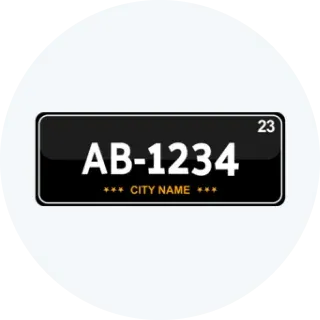
Put registration number plate
Use the registration number plate on your vehicle as per the regulations given by the authority

Visit the Online Website
Visit the official website of the Ministry of Road Transport and Highways (MoRTH) or the respective state transport department's website.

Go to Online Vehicle Registration Section
Find and go to the Vehicle Ownership Section

Register/Log in
Register for an account or log in with your existing credentials.

Fill out the online application form
Fill out the online application form for vehicle registration with accurate details.

Upload scanned copies
Upload the scanned copies of the required documents, including proof of identity, proof of address, vehicle invoice, insurance certificate, PUC certificate, and chassis and engine number.

Pay Applicable Fees
Pay the applicable registration fees and taxes at the designated counter.

Submit application and documents
Make the online payment for registration fees and taxes using the available payment options.

Authority will issue a RC
After verification of the submitted documents and payment, the authority will issue a registration number and a digital registration certificate (RC) for your vehicle

Get digital RC
Download and print the digital RC from the online portal
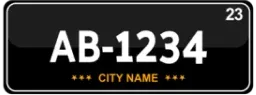
Put registration number plate
Use the registration number plate on your vehicle as per the regulations specified by the authority
Why should you Prefer Park+ to Check RTO Details?





How to Transfer Vehicle Ownership Online and Offline in Karnataka
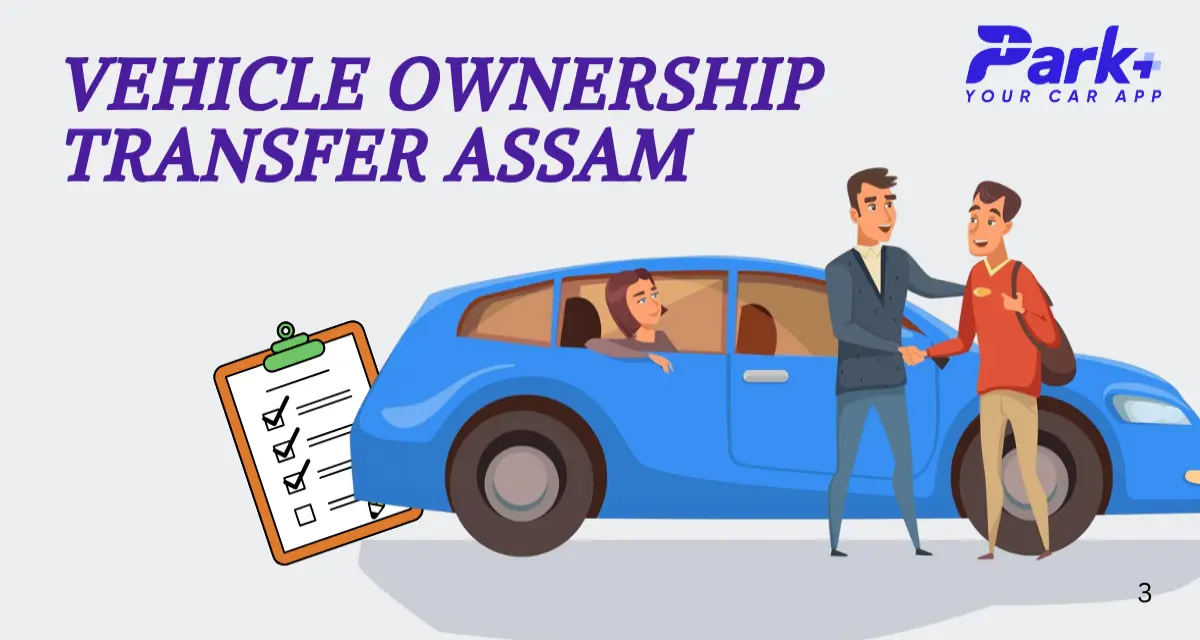
Transferring vehicle ownership is a crucial process that involves legally transferring the rights and responsibilities of owning a vehicle from one individual or entity to another. Here is a step-by-step procedure for transferring vehicle ownership online and offline:

Visit the nearest Regional Transport Office
Visit the nearest Regional Transport Office (RTO) or designated vehicle registration centre to get the vehicle ownership transfer application

Fill all necessary details
Fill out the application form with all necessary details, including the seller's and buyer's information, vehicle details, and transferor's consent

Sign the application
Both the seller (transferor) and the buyer (transferee) must sign the application form along with two witnesses

Attach the supporting documents
1. Attach the supporting documents required for ownership transfer, such as: 1. Original registration certificate (RC) of the vehicle. 2. Proof of identity and address of both the seller and the buyer. 3. Sale agreement or deed of transfer (if applicable). 4. No Objection Certificate (NOC) from the financier (if the vehicle is under a loan). 5. Valid insurance certificate. 6. Pollution under control (PUC) certificate.

Submit application to the designated authority
Submit the completed application form with supporting documents to the designated authority at the RTO or vehicle registration centre.

Transfer fee and road tax
Pay the applicable transfer fee and road tax (if any) at the designated counter

Authority will issue a new RC
After verifying the documents and payment, the authority will update the ownership details in the vehicle's registration certificate (RC) and issue a new RC in the buyer's name

Receive updated RC
The buyer will receive the updated RC, and the seller will retain a copy of the sale agreement or deed of transfer for their records

Visit the Official Website
Visit the official website of the Ministry of Road Transport and Highways (MoRTH) or the respective state transport department's

Got to Vehicle Ownership Transfer
Open the online vehicle ownership transfer portal

Register/Log in
Register for an account or log in with your existing credentials.

Fill Out the Online Application Form
Fill out the online application form for vehicle ownership transfer with accurate details, including seller's and buyer's information, vehicle details, and transferor's consent.

Upload Scanned Copies
1. Original registration certificate (RC) of the vehicle. 2. Proof of identity and address of both the seller and the buyer. 3. Sale agreement or deed of transfer (if applicable). 4. No Objection Certificate (NOC) from the financier (if the vehicle is under a loan). 5. Valid insurance certificate. 6. Pollution under control (PUC) certificate.

Transfer Fee and Road Tax
Make the online payment for the transfer fee and road tax (if any) using the available payment options.

Submit Application & Documents
Once the payment is processed, submit the application form and documents through the online portal.

Receive Updated RC
After verification of the submitted documents and payment, the authority will update the ownership details in the vehicle's registration certificate (RC) electronically.

Authority will issue a new RC
After verification of the submitted documents and payment, the authority will update the ownership details in the vehicle's registration certificate (RC) electronically

Receive confirmation
Both the seller and the buyer will receive a confirmation of the ownership transfer through the online portal

Get Digital RC
The buyer can download and print the updated RC from the online portal for their records
Common fees structure
Driving License
| Documents | Prices |
|---|---|
| Application Fee | ₹200 to ₹500 (varies by state) |
| Learner's License Test Fee | ₹30 to ₹150 (varies by state) |
| Driving Test Fee | ₹50 to ₹300 (varies by state) |
| Renewal Fee: | ₹200 to ₹500 (varies by state) |
| Duplicate DL Fee | ₹200 to ₹400 (varies by state) |
Vehicle Registration Certificate (RC):
| Documents | Prices |
|---|---|
| Registration Fee | ₹600 to ₹1,500 (varies by state) |
| Smart Card Fee | ₹200 to ₹500 (varies by state) |
| Hypothecation/Endorsement Fee | ₹100 to ₹300 (varies by state) |
| Transfer of Ownership Fee | ₹300 to ₹1,000 (varies by state) |
| Duplicate RC Fee | ₹200 to ₹400 (varies by state) |
Fitness Certificate:
| Documents | Prices |
|---|---|
| Fitness Test Fee | ₹200 to ₹600 (varies by vehicle type) |
| Fitness Certificate Fee | ₹300 to ₹800 (varies by vehicle type) |
Permit Fees:
| Documents | Prices |
|---|---|
| Temporary Permit | ₹50 to ₹200 (varies by state) |
| National Permit | ₹500 to ₹2,000 (varies by state and vehicle type) |
| State Permit | ₹200 to ₹800 (varies by state and vehicle type) |
Road Tax:
| Documents | Prices |
|---|---|
| Entry Tax | ₹200 to ₹1,000 (varies by state and vehicle type) |
| Road Tax | 4% to 15% of the vehicle's ex-showroom price (varies by state and vehicle type) |
| Green Tax | ₹500 to ₹2,000 (varies by state and vehicle type) |
What Services does RTO Provide?
The Regional Transport Office (RTO) provides a range of services related to vehicle registration, driver licensing, and enforcement of transportation laws. Some of the key services offered by RTOs include:
1
RTO facilitate the registration of new vehicles and the renewal of registration for existing vehicles.
2
Provide driver's licenses and other permits needed to drive various types of vehicles.
3
Vehicle Fitness Certification to assess vehicle roadworthiness and safety standards, issuing fitness certificates accordingly.
4
Issuance of Permits for commercial vehicles such as taxis, buses, trucks, and auto-rickshaws, allowing them to operate legally.
5
Collect Road Taxes and other fees related to vehicle registration and licensing.
6
Enforcement of Traffic Rules, such as monitoring vehicle emissions and conducting vehicle inspections.
7
RTOs maintain databases of registered vehicles, drivers, and other relevant information to ensure transparency and accountability in transportation management.
Frequently Asked Questions
What is the Karnataka RTO code list, and where can I find it?
The Karnataka RTO code list consists of unique identification codes assigned to each Regional Transport Office in Karnataka. You can find the list on various websites or the park+ website, which is subjective to provide all the information you need regarding your vehicle.
What are the documents required for vehicle registration in Karnataka?
The documents required for vehicle registration in Karnataka include proof of identity, proof of address, proof of vehicle ownership, insurance certificate, pollution under control (PUC) certificate, and sales invoice.
What are the fees and taxes for vehicle registration in Karnataka?
The fees and taxes for vehicle registration in Karnataka vary depending on factors such as the type of vehicle, engine capacity, seating capacity, and usage. The specific fees and taxes can be obtained from the RTO office or the Karnataka RTO Website of the Karnataka Transport Department.
How is the vehicle registration number generated in Karnataka?
The vehicle registration number in Karnataka is electronically generated based on the RTO code and the district where the vehicle is registered. The RTO code represents the specific RTO office, and the district code represents the district where the vehicle is registered.
How can I register my vehicle in Karnataka?
To register a vehicle in Karnataka, you must visit the nearest RTO office, submit the required documents, pay the applicable fees and taxes, and complete the registration process. The RTO will issue your vehicle's registration certificate (RC) and number plate.
chaeHow to check AR RTO fine online?
Follow the instructions to check AR RTO fine online:
Download the Park+ App from the App Store or Play Store.
Register and authenticate your mobile number using the provided OTP.
Launch the app and tap on the challan icon.
Enter your vehicle number to retrieve your challan details.
Easily review payments and access your challan history through the app.