RTO Office in Bharuch
Check Vehicle Owner Details
Find Nearest RTO Office
Find RTO Office by State

Check RTO details state wise

RTO Telangana

RTO Andhra Pradesh

RTO Arunachal Pradesh

RTO Karnataka

RTO Madhya Pradesh

RTO Nagaland

RTO Mizoram

RTO West Bengal

RTO Tripura

RTO Maharashtra

RTO Kerala

RTO Meghalaya

RTO Punjab

RTO Haryana

RTO Himachal Pradesh
RTO Odisha

RTO Manipur
RTO Tamil Nadu

RTO Uttar Pradesh

RTO Gujarat

RTO Goa

RTO Jammu & Kashmir

RTO Jharkhand

RTO Sikkim

RTO Chhattisgarh
RTO Delhi

RTO Uttarakhand

RTO Bihar
The city of Bharuch is a part of the Indian state of Gujarat. The regional transport office (RTO) has been authorised to carry out several of the motor vehicle administration duties. They have been given powers to conduct various regulatory and enforcement functions in the transport segment according to the Motor Vehicles Act, 1988 (MVA).
You can visit this branch for the issuance of your driving licenses, enforcement of road safety, issuing NOCs, tax collection, and development of effective and efficient transport systems.
You can find the RTO Bharuch branch at Nandevan Chockdi, Bharuch, Gujarat - 392001, and its branch RTO code is GJ 16. Click here to visit the official website.
Functions of Bharuch RTO
Bharuch RTO is trusted with multiple functions related to transport inside and through the city of Bharuch. Here is a list of the majority of its functions:
Driving test and licenses RTO Bharuch, having code GJ 16, has the responsibility to conduct some preliminary driving tests to check whether you are safe and ready for driving or not. You will be granted a driving license once you pass its driving tests. RTO issues various kinds of licenses like a Learner?s Driving License (DL), Permanent DL, Commercial DL, or International Driving Permit, etc.
NOCs for vehicles According to MVA, you are required to obtain a non-objection certificate (NOC) from an RTO office for transferring your vehicle. RTO Bharuch also has the power to grant you a NOC for your transferred vehicle.
Registration of vehicles The RTO in Bharuch also undertakes the registration of motor vehicles. Whenever there is a sale of a new vehicle or transfer of ownership of the existing vehicle, it has to be verified by Bharuch RTO. The RTO in Bharuch has to carry out this function for the vehicles in its respective area.
Renew driving licenses Everyone needs to get their driving licenses renewed from time to time. The transport laws of the country require you to do so. The same can be done at the RTO Bharuch branch.
Collection of road taxes All vehicle owners in the country are required to pay taxes on their vehicles. There are various types and taxes imposed by the government on vehicles. These are known as MV taxes. You are required to pay the MV tax at RTO Bharuch in case your vehicle is from the respective area.
Vehicle inspection The RTO in Bharuch has to carry out vehicle inspections from time to time to check the fitness of the vehicles in the respective area of GJ 16. They have to conduct various tests on your vehicles to know whether they can be granted permission to operate in the city.
How to Register a Vehicle at Bharuch RTO
The procedure to register your vehicle for GJ 16 at RTO Bharuch is quite simple. They have implemented an effective mechanism for you to get your RC book efficiently. Here?s how you can get your vehicle?s RC to register it with the RTO coded GJ 16:
Download Form no. 20 from the website, fill it up, and submit it online. You need to attach with it some necessary documents along with tax payment proof.
After this, you need to take the printout of the submission acknowledgement and take it to the RTO Bharuch office. You need to submit the required RC fee along with the document.
You also need to submit an inspection certificate of your vehicle given by the authorised dealer in the city. If this certificate is not available, then you need to take your vehicle to the RTO office for inspection.
If this procedure is conducted properly and all documents attached are appropriate, then your vehicle will be allotted a registration number randomly through a computer program. Although, you can choose to get a number of your choice by paying an appropriate fee.
The owner is informed about their registration number through SMS and email given during the procedure. Smart RC book is sent through speed post.
How to Renew Registration for a Vehicle at RTO Bharuch
Your registration certificate expires after a point of time and the validity of your vehicle ceases. This is why you need to obtain a renewed RC to continue using your vehicle. Given below are the steps for renewing the registration of a vehicle with the RTO in Bharuch:
An application for renewal of registration is to be submitted at www.parivahan.gov.in.
You need to submit documents like the original RC book, Insurance Certificate, P.U.C. Certificate, and Car Fitness Certificate along with the original application form issued by RTO Bharuch.
You need to pay the required fees before you receive your new RC.
Note that, in case there is any DA case pending against your vehicle, then you need to clear that first and apply for re-registration later.
How to Transfer Vehicle Ownership at Bharuch RTO
After selling your vehicle to another party, you need to transfer the ownership in their name. This is the process you need to follow -
You need to submit Form-29 and Form-30 along with an impression of the chassis number made using a pencil.
Attach the RC Book, Insurance Certificate, P.U.C. Certificate, and Car Fitness Certificate along with the original application.
A fee of ?150 is to be paid for the transfer of two-wheelers and ?300 for four-wheelers.
There is also a tax on the transfer, which is a lump sum tax applicable at 15% of the original lump sum tax.
How to Check Bharuch RTO Information on Park+
The Park+ app is the most prominent service provider that can answer all of your transport vehicle inquiries. All you need to do is follow these few simple steps to check RTO-related details:
- Download the Park+ app.
- Open the app and click on 'Login'.
- Enter your mobile number and click on 'Send OTP'.
- Enter the 'OTP' and click on 'Verify OTP'.
- Navigate to 'Services', and click the 'View all' option.
To check your vehicle information from this screen, follow the below steps:
- Enter your 'Vehicle Number' at the top of the page.
Click on 'Search' to check Vehicle Information.
To find your nearest RTO from the Services screen, follow these steps:
- To find your nearest RTO, go back to the all services screen.
- Scroll down to the 'Find near you' section.
Click on 'RTO Centre'.
Note that you cannot pay your challan dues through the Park+ application or website.
Park+ Essentials





How to Register Vehicle Offline & Online in Bharuch Rto Information
The registration of vehicles is crucial to confirm the legality of driving and add legitimacy to the whole operation on the road. Here is a step-by-step procedure for vehicle registration online and offline:

Visit the nearest Regional Transport Office
Visit the nearest Regional Transport Office (RTO) or a designated vehicle registration centre

Collect application form
Collect the required application form for vehicle registration

Fill out all necessary information
Fill out the application form accurately with all necessary information, such as vehicle number, model, owner's details, etc

Attach documents
Attach the supporting documents, such as proof of identity, proof of address, vehicle invoice, insurance certificate, pollution under control (PUC) certificate, and chassis and engine number

Submit application to the designated authority
Submit the completed application form with supporting documents to the designated authority

Pay application fees
Pay the applicable registration fees and taxes at the designated counter
Authority will issue a RC
Upon verification of the documents and payment, the authority will issue a registration number and a registration certificate (RC) for your vehicle
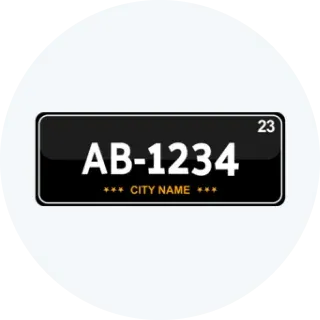
Put registration number plate
Use the registration number plate on your vehicle as per the regulations given by the authority

Visit the Online Website
Visit the official website of the Ministry of Road Transport and Highways (MoRTH) or the respective state transport department's website.

Go to Online Vehicle Registration Section
Find and go to the Vehicle Ownership Section

Register/Log in
Register for an account or log in with your existing credentials.

Fill out the online application form
Fill out the online application form for vehicle registration with accurate details.

Upload scanned copies
Upload the scanned copies of the required documents, including proof of identity, proof of address, vehicle invoice, insurance certificate, PUC certificate, and chassis and engine number.

Pay Applicable Fees
Pay the applicable registration fees and taxes at the designated counter.

Submit application and documents
Make the online payment for registration fees and taxes using the available payment options.

Authority will issue a RC
After verification of the submitted documents and payment, the authority will issue a registration number and a digital registration certificate (RC) for your vehicle

Get digital RC
Download and print the digital RC from the online portal
Put registration number plate
Use the registration number plate on your vehicle as per the regulations specified by the authority
Why should you Prefer Park+ to Check RTO Details?




How to Transfer Vehicle Ownership Online and Offline in Bharuch Rto Information
Transferring vehicle ownership is a crucial process that involves legally transferring the rights and responsibilities of owning a vehicle from one individual or entity to another. Here is a step-by-step procedure for transferring vehicle ownership online and offline:

Visit the nearest Regional Transport Office
Visit the nearest Regional Transport Office (RTO) or designated vehicle registration centre to get the vehicle ownership transfer application

Fill all necessary details
Fill out the application form with all necessary details, including the seller's and buyer's information, vehicle details, and transferor's consent
Sign the application
Both the seller (transferor) and the buyer (transferee) must sign the application form along with two witnesses

Attach the supporting documents
1. Attach the supporting documents required for ownership transfer, such as: 1. Original registration certificate (RC) of the vehicle. 2. Proof of identity and address of both the seller and the buyer. 3. Sale agreement or deed of transfer (if applicable). 4. No Objection Certificate (NOC) from the financier (if the vehicle is under a loan). 5. Valid insurance certificate. 6. Pollution under control (PUC) certificate.

Submit application to the designated authority
Submit the completed application form with supporting documents to the designated authority at the RTO or vehicle registration centre.

Transfer fee and road tax
Pay the applicable transfer fee and road tax (if any) at the designated counter
Authority will issue a new RC
After verifying the documents and payment, the authority will update the ownership details in the vehicle's registration certificate (RC) and issue a new RC in the buyer's name

Receive updated RC
The buyer will receive the updated RC, and the seller will retain a copy of the sale agreement or deed of transfer for their records

Visit the Official Website
Visit the official website of the Ministry of Road Transport and Highways (MoRTH) or the respective state transport department's

Got to Vehicle Ownership Transfer
Open the online vehicle ownership transfer portal
Register/Log in
Register for an account or log in with your existing credentials.

Fill Out the Online Application Form
Fill out the online application form for vehicle ownership transfer with accurate details, including seller's and buyer's information, vehicle details, and transferor's consent.

Upload Scanned Copies
1. Original registration certificate (RC) of the vehicle. 2. Proof of identity and address of both the seller and the buyer. 3. Sale agreement or deed of transfer (if applicable). 4. No Objection Certificate (NOC) from the financier (if the vehicle is under a loan). 5. Valid insurance certificate. 6. Pollution under control (PUC) certificate.

Transfer Fee and Road Tax
Make the online payment for the transfer fee and road tax (if any) using the available payment options.

Submit Application & Documents
Once the payment is processed, submit the application form and documents through the online portal.

Receive Updated RC
After verification of the submitted documents and payment, the authority will update the ownership details in the vehicle's registration certificate (RC) electronically.
Authority will issue a new RC
After verification of the submitted documents and payment, the authority will update the ownership details in the vehicle's registration certificate (RC) electronically

Receive confirmation
Both the seller and the buyer will receive a confirmation of the ownership transfer through the online portal

Get Digital RC
The buyer can download and print the updated RC from the online portal for their records
Common fees structure
Driving License
| Documents | Prices |
|---|---|
| Application Fee | ₹200 to ₹500 (varies by state) |
| Learner's License Test Fee | ₹30 to ₹150 (varies by state) |
| Driving Test Fee | ₹50 to ₹300 (varies by state) |
| Renewal Fee: | ₹200 to ₹500 (varies by state) |
| Duplicate DL Fee | ₹200 to ₹400 (varies by state) |
Vehicle Registration Certificate (RC):
| Documents | Prices |
|---|---|
| Registration Fee | ₹600 to ₹1,500 (varies by state) |
| Smart Card Fee | ₹200 to ₹500 (varies by state) |
| Hypothecation/Endorsement Fee | ₹100 to ₹300 (varies by state) |
| Transfer of Ownership Fee | ₹300 to ₹1,000 (varies by state) |
| Duplicate RC Fee | ₹200 to ₹400 (varies by state) |
Fitness Certificate:
| Documents | Prices |
|---|---|
| Fitness Test Fee | ₹200 to ₹600 (varies by vehicle type) |
| Fitness Certificate Fee | ₹300 to ₹800 (varies by vehicle type) |
Permit Fees:
| Documents | Prices |
|---|---|
| Temporary Permit | ₹50 to ₹200 (varies by state) |
| National Permit | ₹500 to ₹2,000 (varies by state and vehicle type) |
| State Permit | ₹200 to ₹800 (varies by state and vehicle type) |
Road Tax:
| Documents | Prices |
|---|---|
| Entry Tax | ₹200 to ₹1,000 (varies by state and vehicle type) |
| Road Tax | 4% to 15% of the vehicle's ex-showroom price (varies by state and vehicle type) |
| Green Tax | ₹500 to ₹2,000 (varies by state and vehicle type) |
What Services does RTO Provide?
The Regional Transport Office (RTO) provides a range of services related to vehicle registration, driver licensing, and enforcement of transportation laws. Some of the key services offered by RTOs include:
1
RTO facilitate the registration of new vehicles and the renewal of registration for existing vehicles.
2
Provide driver's licenses and other permits needed to drive various types of vehicles.
3
Vehicle Fitness Certification to assess vehicle roadworthiness and safety standards, issuing fitness certificates accordingly.
4
Issuance of Permits for commercial vehicles such as taxis, buses, trucks, and auto-rickshaws, allowing them to operate legally.
5
Collect Road Taxes and other fees related to vehicle registration and licensing.
6
Enforcement of Traffic Rules, such as monitoring vehicle emissions and conducting vehicle inspections.
7
RTOs maintain databases of registered vehicles, drivers, and other relevant information to ensure transparency and accountability in transportation management.