
About us

Park+ for Business

Valet Services

FASTag

Vehicle Owner Details

E-Challan

New Cars

Car Insurance

Car Loan

Personal Loan

Home >
Blog >
fastag >
When You Need Fastag Replacement

All

Car Insurance

Car Service

Cars

Challan

Driving License

FASTag

Parking

RTO

Business

Car Dealership

Personal Loan

Valet Services

PUC

fastag

FASTag Replacement: How to Replace a Damaged or Lost Tag

You can replace a damaged, lost, stolen or non-working FASTag by contacting your issuing bank or using its official app/portal, where available. The process generally involves deactivating the old tag, verifying your vehicle details, paying any applicable replacement fee and receiving a new FASTag.

Piyush Sharma

Piyush Sharma

Published Feb 7, 2025 • Updated Sep 11, 2026 • 8 min read

FASTag Replacement
Add Park+ as a preferredsource on Google

A FASTag is designed to make toll payments quick and cashless, but the tag may need to be replaced if it is damaged, stops working, is lost or becomes too old to use. You may need a replacement when changing your FASTag issuer or after buying a vehicle with an existing tag.

But how do you get a replacement FASTag? Learn how the replacement process works, which documents you may need and where to apply for a new tag.

Well, this guide covers the step by step process to help you replace your FASTag quickly and without unnecessary hassle.

When should you replace your FASTag?

Knowing when you need FASTag replacement saves you from unexpected double-toll penalties at toll plazas.

Here are the most common scenarios where getting a new FASTag is required:

Physical Damage: Cracks, peeling or other damage can affect the tag's ability to be read at toll plazas. Older Tags: If your FASTag is several years old i.e. has completed the validity period, check with your issuing bank whether replacement is required under the applicable rules. Windshield Replacement: If the windshield is replaced, the existing FASTag may need to be replaced rather than transferred to the new glass. Scanned as Non-Readable: Repeated scanner failures at toll gates even with a sufficient account balance. Stolen or Lost Tags: Tag missing from the vehicle requiring immediate hotlisting and replacement.

What documents are needed for FASTag replacement?

The documents required can vary depending on the issuer and reason for replacement. In many cases, you should keep your [vehicle registration details](vehicle registration details) and FASTag account information ready.

Commonly requested details may include:

  • Vehicle Registration Certificate (RC)
  • Previous FASTag ID details
  • Registered mobile number
  • Identity or KYC documents, if requested
  • Replacement reason

FASTag replacement process online: Step-by-Step

Requesting a FASTag replacement online is straightforward through your bank or issuing portal (such as ICICI, HDFC, SBI, Paytm, IDFC, etc.).

Step 1: Log in to your issuer portal

Open the mobile app or official web portal of your tag provider (such as ICICI, SBI, or HDFC). Log in using your registered mobile number and verify via OTP.

Step 2: Select the FASTag services menu

Navigate to the "FASTag" dashboard, locate your linked vehicle registration number (VRN), and click on Manage FASTag or Request Tag Replacement.

Step 3: Specify reason and upload verification

Select the reason for replacement. If requested, upload a clear photo of the existing tag or your vehicle's Registration Certificate (RC).

Step 4: Verify delivery address and pay fees

Confirm your residential shipping address and pay the nominal replacement fee depending on the issuer of the bank, using UPI, debit card, or net banking.

Step 5: Deactivation and new tag dispatch

Your old tag is blacklisted to prevent misuse, and the new FASTag is dispatched to your doorstep within 3 to 7 business days.

How to replace FASTag offline?

If you prefer an in-person resolution or need an urgent tag swap before an immediate road trip:

  1. Visit the issuing bank's authorised FASTag POS location or agent, if an offline replacement service is available.
  2. Carry your vehicle's original RC, a valid government ID (Aadhaar or PAN) and the vehicle itself.
  3. Complete the tag replacement application form and submit it.
  4. The representative will issue the new sticker.

What happens when you replace a FASTag?

A new physical tag issued for the vehicle after the existing tag is reported as damaged, lost, stolen or otherwise eligible for replacement. The old tag is closed or suspended according to the issuer's process, while the wallet and balance are handled as per the applicable account rules.

How to replace a lost or stolen FASTag?

If your FASTag is lost or stolen, contact your issuer (customer care) as soon as possible and request that the old tag be blocked or closed. This helps prevent unauthorised use of the tag.

After the old tag is deactivated, you can apply for a replacement through your issuer. You may need to provide your registered mobile number, vehicle registration details and other information requested by the issuer. Do not simply buy another tag and leave the old one active. NPCI's rules aim to keep one active FASTag linked with one vehicle.

Conclusion

Replacing a FASTag is usually necessary when the tag is damaged, lost, stolen, no longer working or needs to be replaced under applicable age or issuer requirements. The process generally involves reporting or closing the old tag, submitting a replacement request and activating the new one. Keeping only the appropriate active tag linked to your vehicle also helps you follow the One Vehicle, One FASTag approach.
Piyush Sharma
Piyush Sharma

Content Writer

Piyush is a passionate content writer who loves turning ideas into engaging and impactful articles. With a flair for creativity and attention to detail, he crafts content that connects with readers across niches. His goal is to create meaningful, well-researched, and reader-friendly articles that inform, inspire, and leave a lasting impression.

Add Park+ as a preferredsource on Google

Explore more blogs

Related blogs

More recent blogs

ICICI FASTag Login with Mobile Number: Step-by-Step Guide

ICICI FASTag Login with Mobile Number: Step-by-Step Guide

Learn how to log in to ICICI FASTag using your mobile number via OTP. Check steps for WhatsApp, iMobile Pay and the ICICI FASTag portal. Read more

fastag

Priti Burud

17 Jun · 8 min read

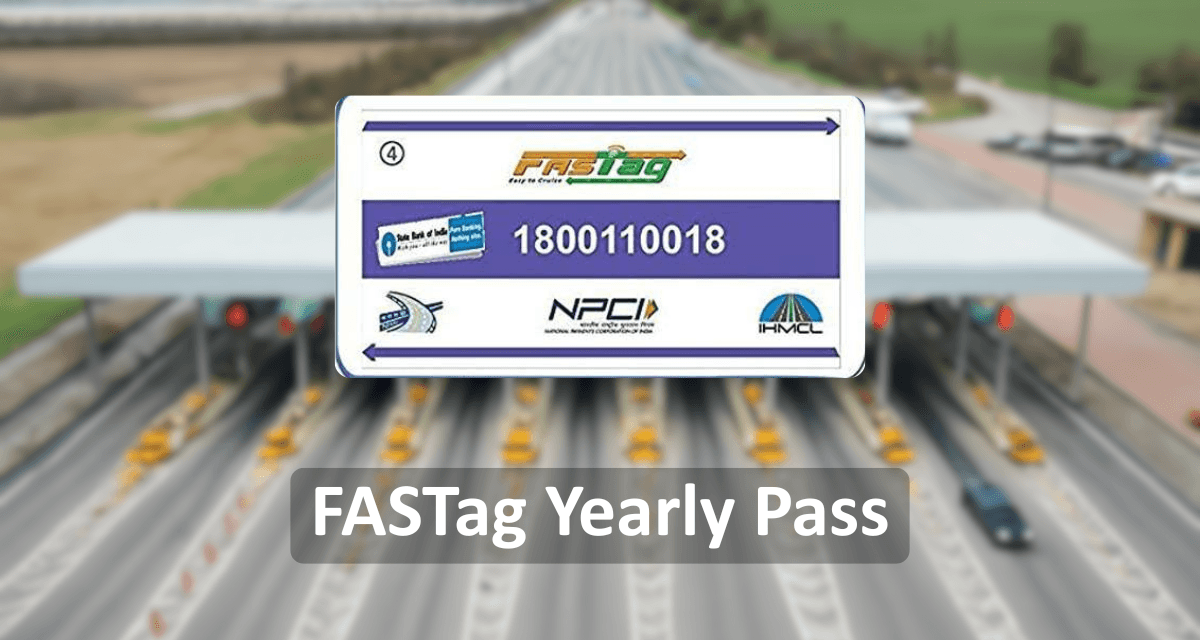
FASTag Annual Pass - Introduction, Benefit & Charges

FASTag Annual Pass - Introduction, Benefit & Charges

Unlock unlimited highway travel with India’s FASTag Yearly Pass for just ₹3,075/year. Say goodbye to toll hassles, save time and money! Read more

fastag

Asiya Siddiqui

24 Apr · 8 min read

How to Update SBI FASTag KYC Online: Step-by-Step Process & Rules

How to Update SBI FASTag KYC Online: Step-by-Step Process & Rules

Need help with SBI FASTag? Contact SBI FASTag customer care number or email for 24x7 support on activation, recharge, and disputes. Read more

fastag

Piyush Sharma

15 Apr · 8 min read

View more Blogs

FAQs- FASTag Replacement

When should I replace my FASTag?

You should consider replacement if the tag is damaged, lost, stolen, not working, too old or needs to be replaced under your issuer's applicable requirements.

How to replace a damaged FASTag?

Contact your FASTag issuer or use its app or online portal, select the replacement option, provide the required details and pay the applicable fee, if any.

How can I get a new FASTag?

You can apply for a new tag through a NETC member bank or FASTag issuer after completing the required vehicle and KYC verification.

What happens if my FASTag is damaged?

A damaged tag may not work correctly at toll plazas. Contact your issuer and request a replacement instead of continuing to use a tag that cannot be read.

Can I replace my FASTag online?

Yes, many issuers provide online or app-based replacement services. The exact process depends on the bank or FASTag provider.

Can I use my old FASTag after getting a replacement?

You should not continue using an old tag after replacement. Older tags linked to the same vehicle may be suspended, and NPCI recommends keeping only the appropriate active tag linked to the vehicle. .

Park+ is a private, all-in-one platform for car owners. Trusted by millions, we help you manage your vehicle with services like challan checks, FASTag recharge, vehicle owner details, insurance, car spa bookings, and more.

Quick Links
Contact UsBlogsSBI FASTag RechargeTelangana ChallanValet ServicesDriving Licence InformationFASTag Annual PassCar NewsCompare CarsCar DealersBoom BarriersComprehensive car insurancePersonal Loan Interest RatesMedical LoanOwn Damage Car InsurancePUC CertificateCourt Challan
Products
New CarsCar InsuranceE ChallanFASTagParking Near MeFuel PriceRTO Office DetailsPersonal LoanPersonal Loan EMI CalculatorVehicle Owner DetailsCar Insurance CalculatorCar Insurance CheckThird party car insuranceTypes of Personal LoanPersonal Loan for StudentsBest Car Insurance CompaniesSalaried Personal LoanBike Challan
Reach us
For support: support@myparkplus.com
For Business: sales@myparkplus.com
Unitech Cyber Park, 5th Floor, Tower A, Sec-39, Gurugram, Haryana 122022
Download Park+ app

Stay on the top of your car game with Park+. Sit back and relax while we take care of your car-related needs, all in one place.

10 Million+
Downloads
footer_separator_img
50 Million+
FASTag Recharges
footer_separator_img
1 Million+
Challans Resolved
google play
app store
© 2026 Park+. All rights reserved
Terms & Conditions | Privacy Policy | Site Map